CurrentWare
uses Net Promoter Score (NPS) as a measure of customer satisfaction.
The “Take Our Survey” option is a common feature in many online
platforms and websites. It is often used to gather feedback from users
or customers, which can be used to improve products, services, or user
experience. This feedback gives us actionable feedback and insights into
improving the CurrentWare software.
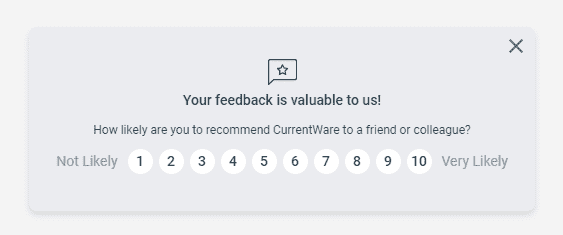
An example of the feedback prompt you may see starting in CurrentWare version 8.0.1 can be seen above.
Sometimes during your install, upgrade or configuration of the CurrentWare Web Console there can be obvious issues that are not visible at first glance. You can help us diagnose the issue(s) by using your browsers inspect tool by following these ...
Remotely view a user’s computer screens on-demand and in near real-time, plus easily save screenshots from the view as image files for later review. How to use Live Capture There are multiple ways in the BrowseReporter module where you can initiate a ...
Version 12.0.5 Sept 09, 2026 Utilization Rate in Hours & Percentage: New utilization configuration lets you view and set PC/user utilization thresholds in both hours and percentage, with customizable optimal, underutilized, and overutilized ranges. ...
The CurrentWare clients can be deployed through Intune using the Application deployment feature. Microsoft Endpoint Manager allows you to quickly push the clients out across your domain. This will save time when deploying as you do not need to ...
In addition to the user activity reports BrowseReporter includes 7 dashboards that give you insights on website activities, productivities, application usage and bandwidth consumptions of your entire organization. With BrowseReporter’s web ...