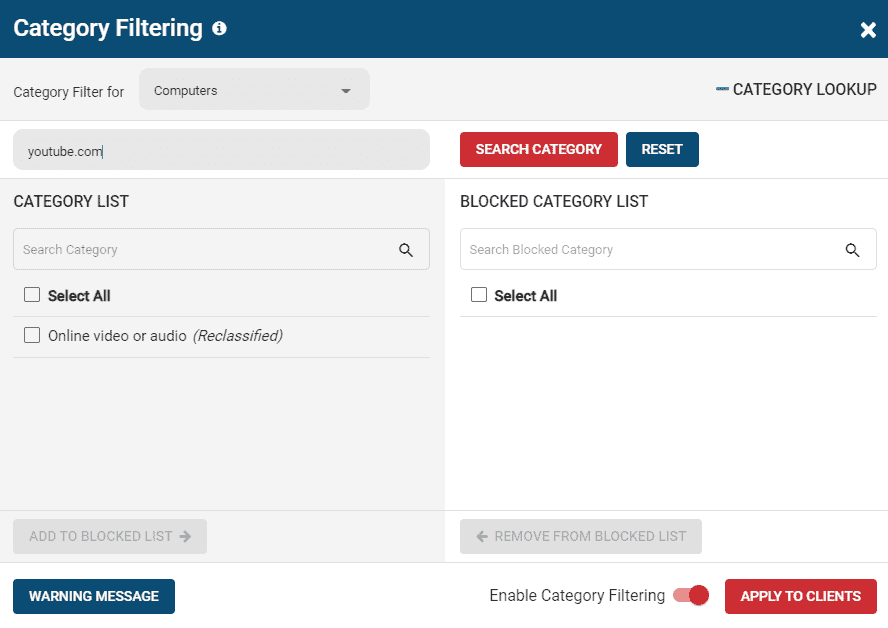
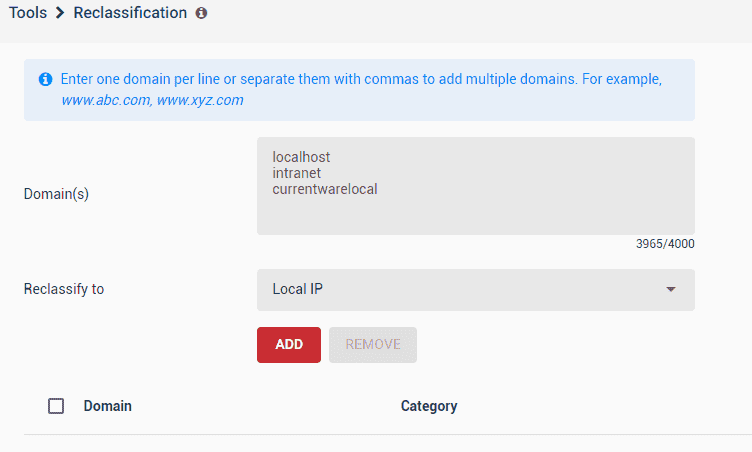
You
can easily locally reclassify website domains If you want to have it
set as a different classification for your local BrowseControl –
Category Filtering and your BrowseReporter reports.
You can block websites based categories with BrowseControl’s frequently updated database of over 100 URL categories using the URL Category Filtering feature This method is best used to block a large number of websites based on defined categories that ...
Version 12.0.1 Feb 12, 2026 PC & Users Search Option: Within various selection menus, additional support for a search bar has been added Updated Manage Page Column: Identify Last Logged-in User from Manage Page Alerting for Offline Clients: Setup an ...
You can easily reclassify website domains If you want to have it set as a different classification for your BrowseReporter reports and BrowseControl’s web category filtering database. To change the classification of a domain for your BrowseReporter ...
You can block websites based categories with BrowseControl’s frequently updated database of over 100 URL categories using the URL Category Filtering feature. This method is best used to block a large number of websites based on defined categories ...
Here are some quick tips that are best practices when dealing with your BrowseControl filtering setup: URL Filtering List (Allow & Block Lists) When adding URLs there are automatically wildcards(*) before and after the entries. Entering “site.com” ...